

Brave 1.96.61
Brave Browser is a privacy-focused, Chromium-based browser that blocks ads, trackers, and fingerprinting by default, scoring 96/100 on AdBlock Tester and loading pages with roughly half the data of Edge or Firefox. It offers Brave Rewards with Basic Attention Tokens (BAT) for viewing privacy-friendly ads, with BAT Roadmap 4.0 introducing agentic payments, a unified wallet, and a Rewards Card. Brave Leo AI provides a private, account-free assistant with access to multiple models (GPT OSS, Llama 4, Claude, DeepSeek, Qwen). The v1.92 release added Containers for isolated browsing, and new GPU fingerprinting protections de-identify WebGL strings. A built-in VPN costs $9.99/month or $99.99/year. Brave uses 30–44% less RAM than Chrome and is available on Windows, macOS, Linux, Android, and iOS. Market share remains small (~0.82–1.24% on desktop), but for privacy-conscious users, it's one of the best browsers available.
- Free
- Windows
- macOS
- Android
- iOS
- Nov 12, 2026
61f8abd9fc84ecc74dbc0af76a984438f322abbaac5cbbe17966308fbf49d5b8VirusTotal report ↗Screenshots
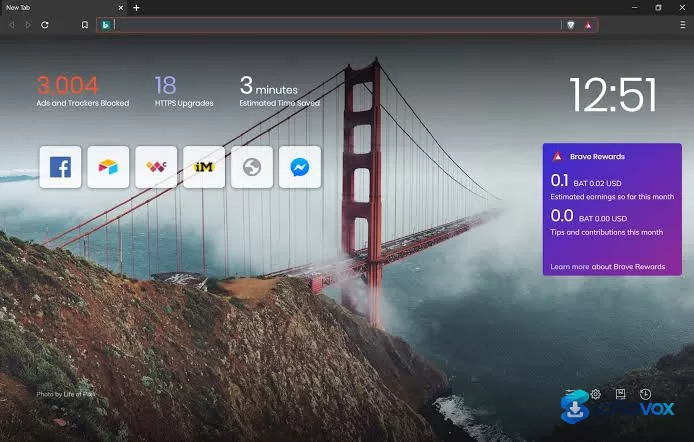
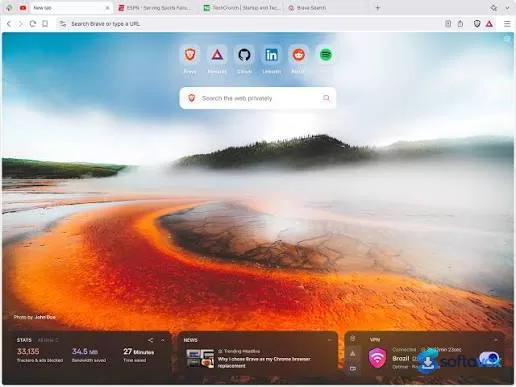
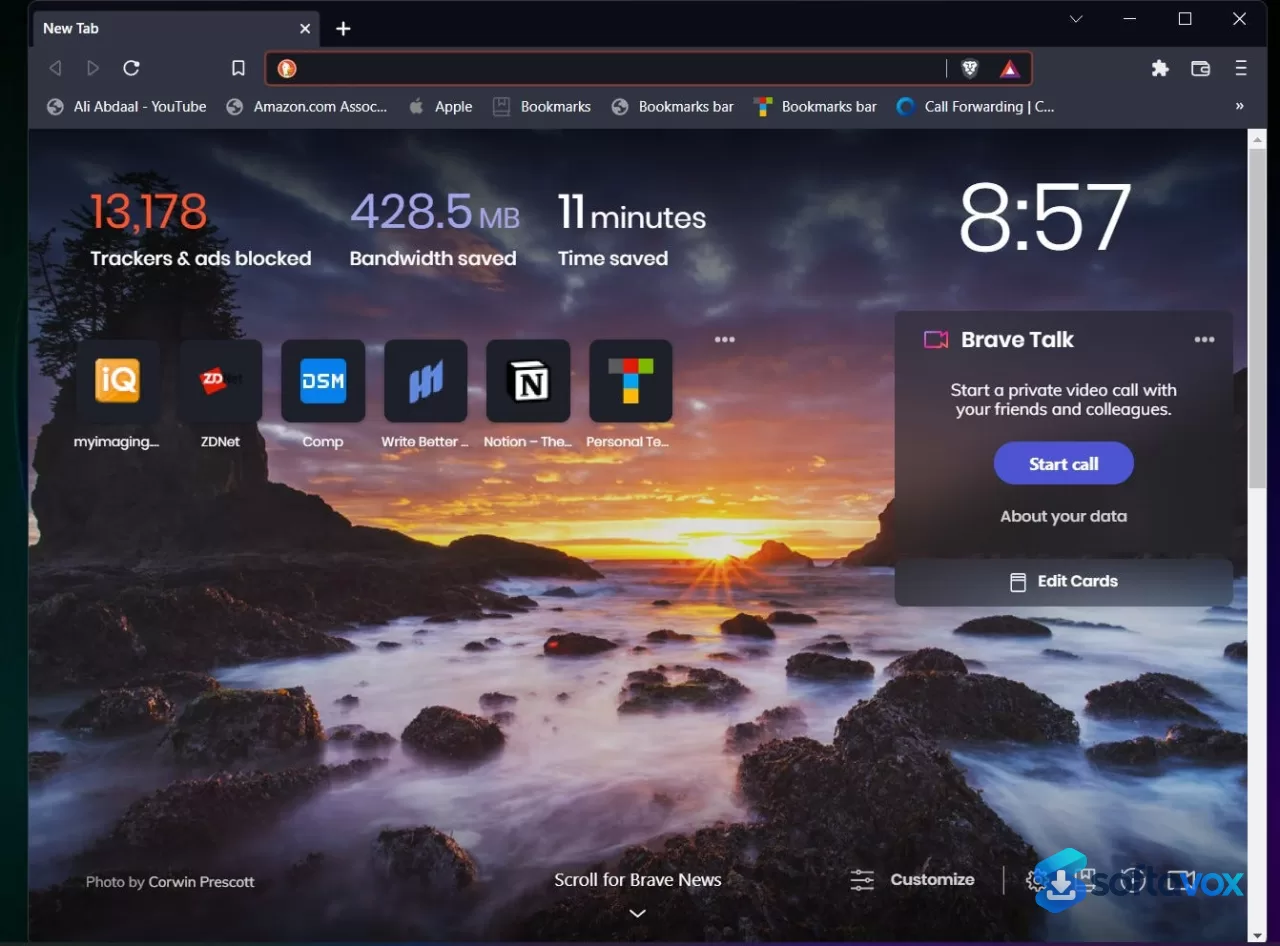
About Brave
Brave Browser Download, Fast, Private Browser with Built-in Ad Blocker
TL;DR Quick Take / Who is this for?
Brave is a free, open-source web browser built on the Chromium engine that prioritizes privacy and speed by blocking ads and trackers by default. In 2026, it has surpassed 80 million monthly active users and is consistently praised as the most polished, feature-rich privacy browser available[reference:0]. Benchmarks show it loads pages roughly 20% faster than Chrome while using significantly less CPU, memory, and battery, largely because its shields prevent unnecessary network requests[reference:2]. The browser includes a native VPN, a firewall, fingerprinting protection, and a unique crypto rewards program (BAT). However, it is not without trade-offs: its built-in VPN is more of a proxy with limited locations, customer support is widely criticized as difficult to reach, and some users report the default ad-blocking can occasionally break less-known websites[reference:3]. Brave is the right pick for anyone who wants a fast, private browsing experience without the hassle of configuring extensions. It is not the best choice for users who need a full-featured VPN replacement or expect responsive, direct customer support.
Quick Info Box
| License Type | Free and open source (MPL 2.0); optional Brave VPN subscription |
|---|---|
| File Size | Approx. 235 MB (Windows installer); varies by platform |
| OS Compatibility | Windows 7/8/10/11, macOS 11+, Linux, Android 10+, iOS 17+[reference:6] |
| Latest Version | 1.92.141 (stable channel, 2026) |
| Developer | Brave Software, Inc. |
Key Features & Real-World Usability
Brave's core value is its "Shields" system, which is enabled by default and blocks third-party ads, trackers, cross-site cookies, and fingerprinting without any user configuration[reference:7]. This aggressive blocking is the primary reason for its performance advantage. In independent testing, Brave loaded pages faster than both Vivaldi and Firefox, and felt consistently snappy even on aging hardware[reference:8]. On the desktop, Brave's own benchmarks (which align with independent tests) show 20% faster page loads, 44% lower CPU usage, 28% lower memory usage, and 10% less energy consumption compared to Chrome[reference:9]. The browser is built on Chromium, ensuring compatibility with complex web apps like Google Docs and streaming services, and it supports the vast majority of Chrome extensions[reference:10]. Beyond the core browser, Brave includes a native VPN and firewall (available as a paid add-on), a private search engine, an AI assistant (Leo), and a unique crypto rewards system where users can earn BAT tokens for viewing privacy-respecting ads[reference:11]. It also includes a one-tap "Shred" button to instantly clear browsing data, including potentially malicious scripts[reference:13]. The limitations are important to understand. The built-in VPN is best described as a proxy with a limited number of server locations, not a full replacement for a dedicated VPN service like Proton VPN or NordVPN[reference:14]. While Brave blocks most tracking, an independent test found that five of its own data collection and ad settings are enabled by default, including diagnostic reports and sponsored new tab ads, which users must manually disable in the settings[reference:15]. Some users also report that the default ad-blocking can sometimes prevent videos from playing on less-known websites.
- Default Privacy Shields: Blocks ads, trackers, third-party cookies, and fingerprinting automatically, providing a cleaner and faster web experience from the first launch[reference:17].
- Proven Performance Gains: Independent and internal benchmarks show 20% faster page loads and significantly lower CPU and memory usage than Chrome, leading to better battery life[reference:18][reference:19].
- Built-in VPN and Firewall: Offers an optional paid VPN and firewall for an extra layer of security, though it is a proxy-style service with limited locations[reference:20][reference:21].
- Brave Rewards (BAT): A unique system that lets users earn cryptocurrency (Basic Attention Token) by opting into privacy-respecting ads, which can be cashed out or tipped to creators.
- Chromium Compatibility: Supports the vast majority of Chrome extensions and renders complex websites reliably, thanks to its Chromium foundation[reference:23].
- Privacy-Focused Search and AI: Includes its own privacy-preserving search engine (Brave Search) and an AI assistant (Leo) that are designed to be more data-conscious than Google's offerings[reference:24].
- One-Tap Data Shred: A quick action to instantly clear browsing data, cookies, and cache for the current site, useful for privacy on shared computers[reference:25].
Pros, Cons & Community/User Feedback
User sentiment around Brave is overwhelmingly positive, with reviewers consistently highlighting its speed, privacy defaults, and polished experience. On Software Advice, 93% of users recommend the browser, and it holds a 4.8 out of 5 rating for ease-of-use and value for money[reference:26][reference:27]. Users describe it as "by far the most polished, feature-rich, and privacy-focused browser I tested" and praise that it "gives people a good experience in terms of speed and privacy without bothering them". One long-term reviewer on Capterra notes it is "very fast and constantly improving," and appreciates the unique earning feature. The browser's default settings have been ranked highly by independent privacy testing organizations like privacytests.org, placing it ahead of other Android browsers[reference:30]. The complaints are specific and consistent. The most significant is customer support. Capterra reviewers describe it as "awful," noting that you "have to deal with the world's most confusing forum in order to get ahold of anyone," and that there is "no direct line of support which is desperately needed". A separate review on the same platform details a frustrating experience trying to cancel a subscription, with the user still being billed months later despite multiple contact attempts. The second common complaint is website compatibility. While rare, some users report that "sometimes video can not be played on less known sites," which is a side effect of aggressive ad-blocking. Third, the built-in VPN is often criticized as being more of a proxy with limited server locations compared to dedicated VPN services[reference:34]. Finally, a privacy audit revealed that Brave enables several of its own data collection and ad settings by default, which, while described as privacy-preserving, are still enabled without explicit user consent during setup[reference:35].
Pros
- Excellent performance with pages loading 20% faster than Chrome and lower resource usage[reference:36]
- Strong privacy protection enabled by default, including ad, tracker, and fingerprinting blocking[reference:37]
- Fully compatible with the vast majority of Chrome extensions[reference:38]
- Unique Brave Rewards program allows users to earn BAT cryptocurrency
- Includes a built-in VPN (paid add-on), private search, and AI assistant[reference:40][reference:41]
- 93% of users recommend it, with a 4.8/5 rating on Software Advice[reference:42]
Cons
- Customer support is widely criticized as difficult to reach and unhelpful
- Built-in VPN is a proxy with limited locations, not a full VPN replacement[reference:44]
- Aggressive ad-blocking can occasionally break video playback on less-known sites
- Several of Brave's own data collection and ad settings are enabled by default[reference:46]
- Lacks a direct support line; relies on a confusing community forum
- Some users report billing issues when trying to cancel subscriptions
Final Verdict & Safe Download Advice
Brave is the best browser for users who want a fast, private, and feature-rich experience without the need to configure a dozen extensions. Its default ad and tracker blocking deliver tangible speed and battery improvements, its Chromium base ensures broad website compatibility, and its unique features like Brave Rewards and Leo AI set it apart from the competition. For anyone looking to switch away from Chrome for privacy reasons, Brave is the most seamless and polished upgrade path available in 2026. The caveats are real but manageable. The customer support experience is poor, the VPN is a basic proxy, and a privacy-conscious user will want to spend a few minutes in the settings disabling Brave's own telemetry and sponsored content options. If you need a full-featured VPN or require responsive human support, you should look elsewhere. For everyone else, Brave delivers on its core promise: a faster, safer, and more private web. Download it from the official source, review the privacy settings after installation, and enjoy a browsing experience that respects your time and your data.
- Download only from brave.com: The official website is the only safe source for the installer. The Brave team explicitly warns that being asked to download the browser from other sites could be a phishing attack, and third-party download portals may bundle unwanted software[reference:49].
- Verify the installer size and version: The Windows installer is approximately 235 MB, and the current stable version is 1.92.141. A dramatically smaller file or an older version number from an unofficial source is a warning sign.
- Check system requirements before installing: Brave supports Windows 7/8/10/11, macOS 11 and above, and most modern Linux distributions. The mobile app requires Android 10+ or iOS 17+[reference:50][reference:51].
- Review the privacy settings after installation: An independent audit found that Brave enables several of its own data collection and ad settings by default. Go to Settings > Brave Shields & privacy and disable options like "Automatically send daily usage ping" and "Enable Sponsored Ads" if you want a stricter privacy setup[reference:52].
- Do not download "cracked" or "premium" versions: Brave is free and open source. The optional VPN is a paid subscription, but the browser itself has no premium tier. Any site offering a "cracked" version is distributing malware.
Similar software



Key features
- Default Ad & Tracker Blocking, Scored 96/100 on AdBlock Tester, loads pages with ~4.4 MB vs Chrome's higher data usage
- Brave Rewards (BAT), Earn Basic Attention Tokens for viewing privacy-friendly ads; BAT Roadmap 4.0 adds agentic payments, BravePay stablecoin, and a Rewards Card
- Brave Leo AI, Built-in AI assistant with multiple models (GPT OSS, Llama 4, Claude, DeepSeek, Qwen); no chat logging, no account required, no model training on your data
- Containers (v1.92), Separate tabs with isolated cookies and storage for multi-account workflows
- GPU Fingerprinting Protection, De-identifies WebGL vendor/renderer strings and adds noise to supported extensions
- Farbling, Randomizes fingerprinting data per site and per session; only browser that sent zero identifiers in 2026 Focus privacy test
- Brave VPN + Firewall, $9.99/month or $99.99/year, 7-day free trial
- Chromium-Based, Compatible with most Chrome extensions
- Cross-Platform, Windows, macOS, Linux, Android, iOS
- Performance, ~28% less memory usage and 20% faster page loads than competitors (Brave's own testing); independent tests show 30–44% less RAM than Chrome
- Brave Search, Private search engine (optional)
- IPFS & Blockchain Domains, Decentralized content access and .crypto domain support
- News Aggregator & Wayback Machine Integration, Built-in tools for discovering content and accessing archived pages
Frequently asked questions about Brave
Is Brave browser safe to use?
Is Brave free?
Which operating systems does Brave run on?
What is Brave browser used for?
Do Chrome extensions work in Brave?
How do I update Brave?
Versions
| Version | Release date | Platform | File size | |
|---|---|---|---|---|
| Brave 1.96.61 Latest version | Oct 2, 2026 | WindowsmacOSAndroidLinux | 1.2 MB | Download |
Comments about Brave
No comments yet. Share your experience with this program!